
On Apple TV
Download movies, episodes and catch-up programs allowed by their source. Find them in the library for local playback. tvOS may reclaim this storage when needed.
CATCH-UP & LIBRARY
Find your programs and videos, with a clear destination for every save.
CATCH-UP
The calendar stays above the programs. Move between dates without scrolling through a long list.
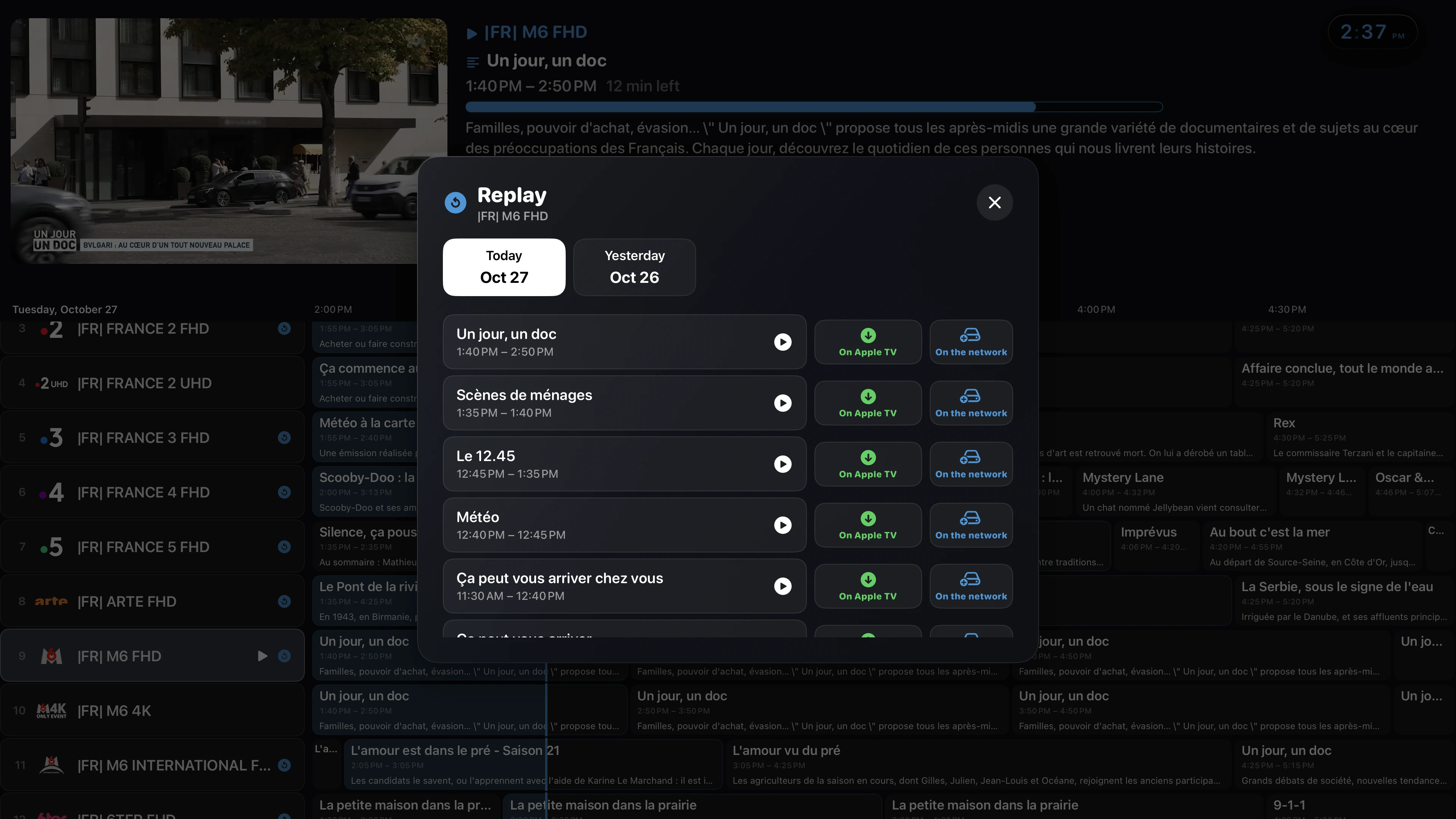
Catch-up and archive duration depend on your provider. Only available programs can be played or saved.
YOUR LIBRARY
Keep compatible videos on Apple TV or save them to a network share.
Download movies, episodes and catch-up programs allowed by their source. Find them in the library for local playback. tvOS may reclaim this storage when needed.
Use an SMB share on a NAS or computer. Network storage stays separate from Apple TV’s local storage.
With ZAPTVIO Server, schedule a programme and find its recording on your server, even if your Apple TV was off.
Explore the DVR serverFROM YOUR BROWSER
Use the management page to add a playlist, connect Jellyfin and organise collections with your phone or computer keyboard.
Scan the QR code on your TV or enter its access code. Keep your devices on the same network while setting things up.
See what you can manage